Interface2 min read
The home screen gets one job
A home screen should be the sentence the person already has in their head. What I remove, and what I leave, across NapWake and client work.
Before NapWake has any stop saved, the home screen is a line and a button. Rest easy. We'll wake you. Add Stop. Settings sit in the corner, because you will need them, and they are not the job. After a stop exists, the screen becomes a quiet list. Swipe left to delete, right to edit, and the screen says so. A tap opens the trip. Add Stop stays at the bottom, in the same place, every time.
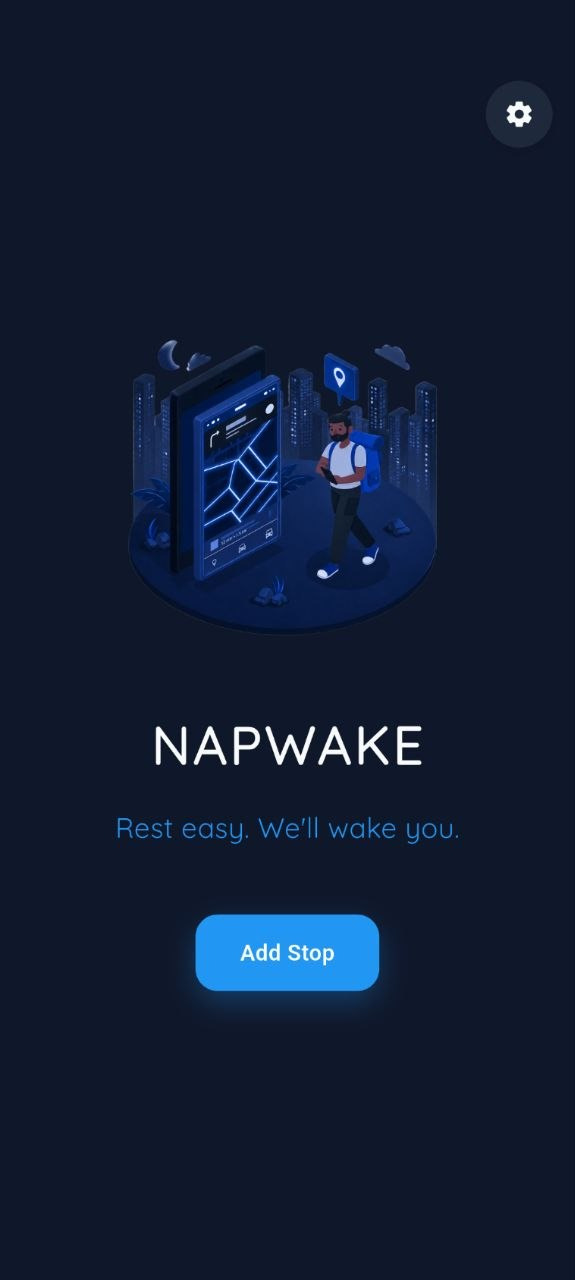
I did not get there by decorating an empty state. The map and the history stay off this screen until there is a stop to look at. They are one tap away once they are useful. The home screen is for the job you opened the app to do.
The same cut, in client work
On the LA Fitness sales tool, the first view holds the facts that decide a plan. The long feature list is behind an expand, still on the page, not in a popup that hides the choice.
On Taaleemi, the first job is to apply without rebuilding a profile, so the profile is already there and the form is what is left.
On TalentConnect, employers were dropping out of onboarding before they could post a role. A long introduction is not a welcome. It is a closed door. If the employer does not finish, nobody gets hired through that account.
White Mammal had the opposite problem, and the same rule. The clothes are specific: arctic-grade, with a point of view about the place they come from. A conventional product grid made them look like any other listing. The purchase path had to do one job before it did the shopping job. It had to say what this is. A story parked on an about page does not do that. People do not detour to an about page in the middle of deciding whether a coat is worth it.
One sentence, then the next screen
One job does not mean one button forever. It means the screen can be explained in the sentence the person already has in their head. When a second job shows up, it can have a screen of its own. The home screen stays the sentence.
If a screen needs a caption to explain what it is for, the caption is doing the design's job. I would rather rewrite the screen. The projects behind these notes are collected under work. NapWake is the one where the rule is easiest to see, because the screen is almost bare.