Socializer
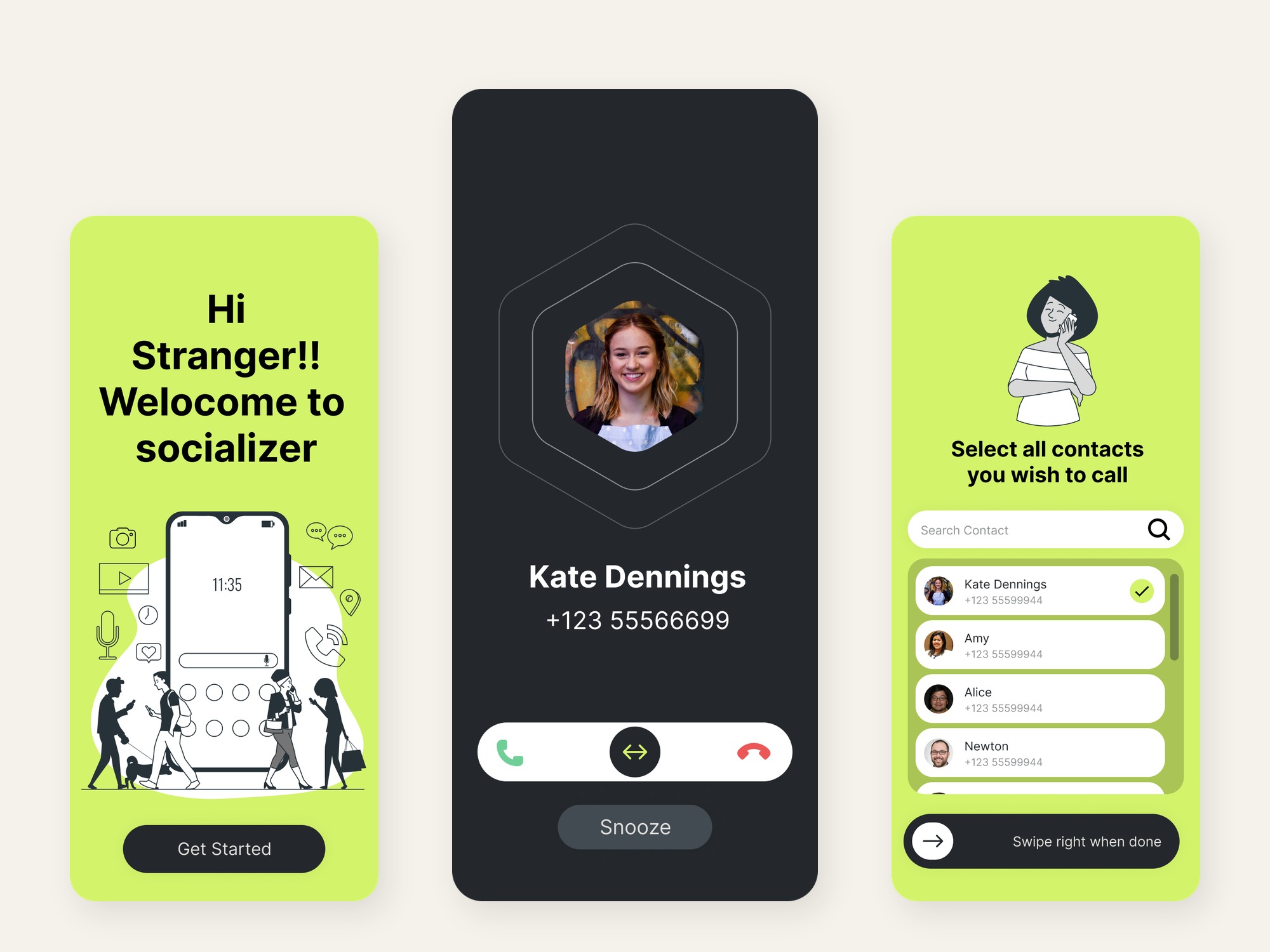
Socializer is a reminder for the people I mean to keep, and keep forgetting. Once a day, in the hours I am actually free, it surfaces one of them as an incoming call. I answer by calling, or by sending a line that is already written, and the app hands me to WhatsApp, Telegram, the dialer, or SMS. Then it steps aside. The conversation happens in that other app, where Socializer cannot see it.
I drew the screens first. Lime green, a hexagonal portrait, black line art, pill buttons, and a call screen that already looked like a phone. The frames had the right feeling. They also promised random calls at random times, and they put a score on the home screen. The work after the frames was keeping the feeling and rewriting the rules, so the app would make a friendship easier to keep without turning it into a chore or a game.
The problem
A friendship usually goes quiet. Nothing breaks. The week fills up, and the people who take a little effort slip behind the people who are already in the chat list. The tools on the phone are built for the second group.
A messaging app opens on whoever wrote last. A feed rewards whoever is posting. A calendar entry that says "call Sara" still leaves the channel, the words, and the energy as homework, and homework gets dismissed. The personal CRMs I looked at go the other way. Clay, Dex, and Monica turn people into a pipeline and a number. That is a sales habit. It is a poor way to remember a friend.
The obvious version of this app makes the drift worse. A queue you can clear. A shuffle that swaps a quiet friend for an easier one. A score that moves when you tap. You feel busy, and the quiet friendships stay quiet. I wrote five rules before I trusted a screen.
- Log a reach-out. The app launches another app and goes blind, so it cannot honestly say you connected.
- Declining does not bring up someone else. The same person comes back.
- Answering is a fork. A call when you have the energy, a message when you do not.
- One person a day. A circle, rather than a list to grind through.
- The home screen shows who is going quiet. A score is never the headline.
Who it is for
I was the first user. The person who installs this already has a small set of people they care about, and a week that does not leave a blank hour labeled "be social." The hard moment is a Tuesday when you are tired and a name appears. The screen has to work in that state. One face, one decision, and a way through that takes about ten seconds.
How I got there
I started from the frames the way I would start from a brand a client already loved. Six swatches, left to right: lime #C8F032, olive, pale sage, off-white, white, and a near-black. Poppins, heavy headings, large card radii, and a person who is always a hexagon. The hexagon is the signature, so a face stays a face and does not fall into the round avatar every other app uses. Type on the lime is near-black. White on that green fails, and the frames were right to refuse it.
Onboarding is four green screens and black line drawings of people on the phone. The first one types its greeting, then the picture arrives. It is a small ceremony. You are meeting the app, and it should feel like someone saying hello. The contact step is a search, a hexagonal portrait, a check, and a channel chip for each person: WhatsApp, Telegram, the dialer, or SMS. WhatsApp is the one already selected. At seven names it says "Start small — you can always add more later." It hints. It does not lock the door.
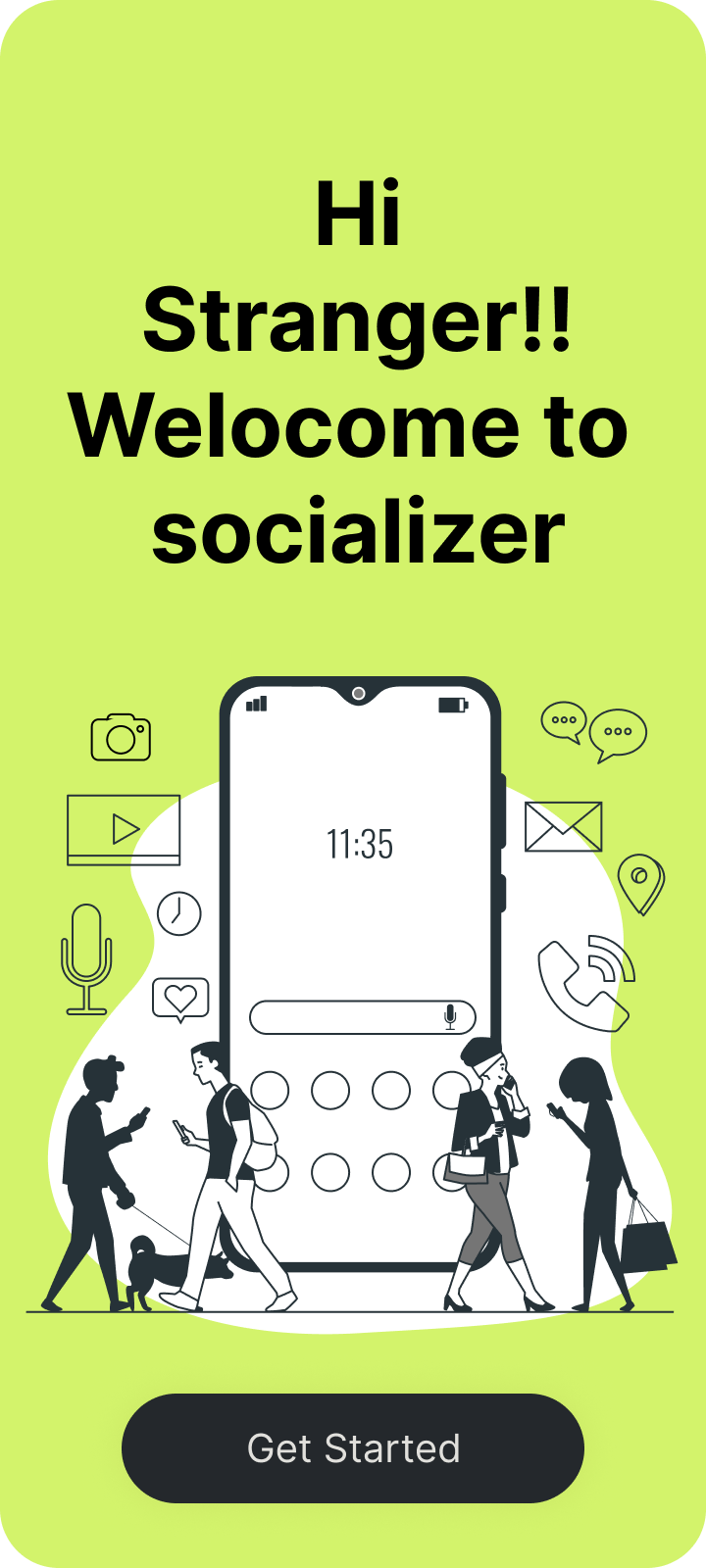
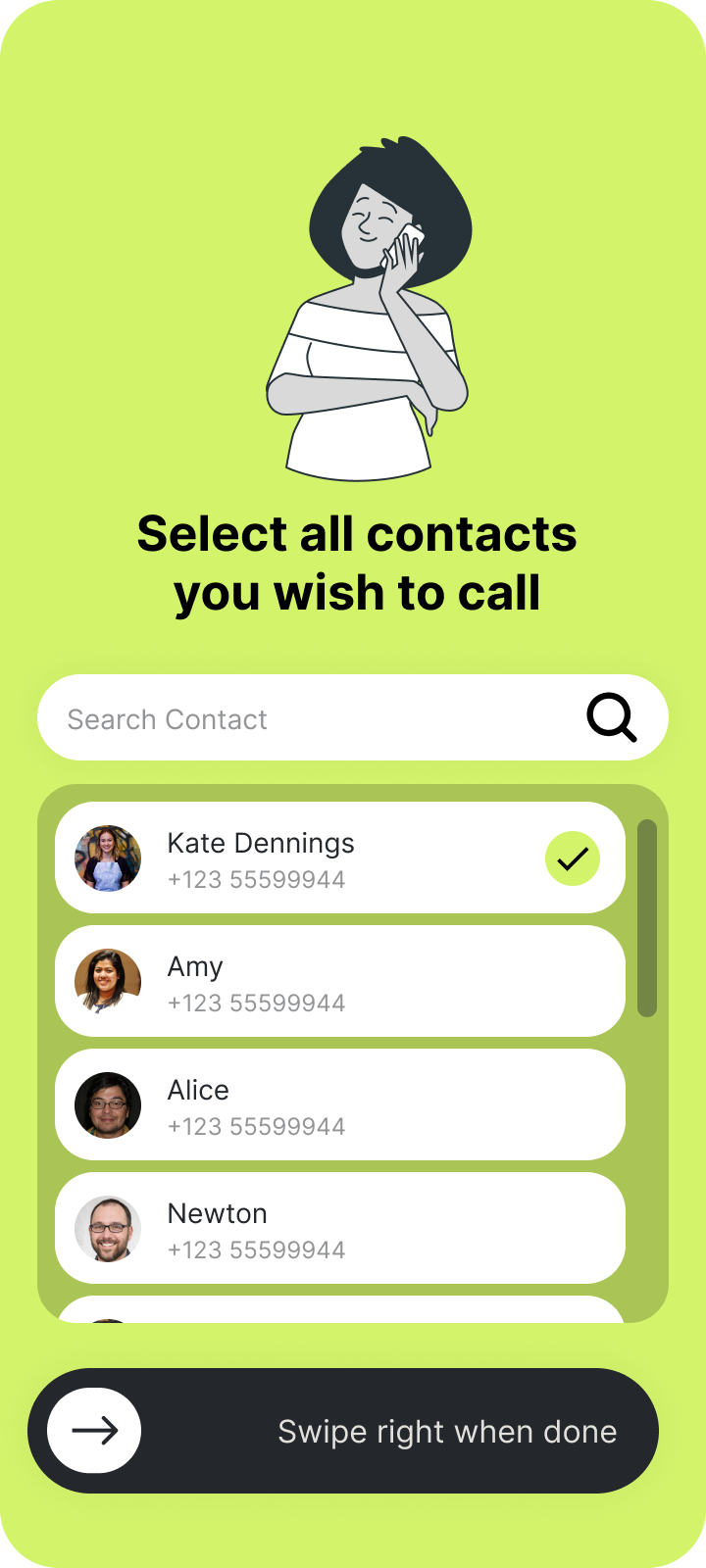
Where a frame and a rule disagreed, the rule won. The early copy said the app would place random calls at random times. The shipped explainer says gentle reminders, for the people you chose, at the times you are free to talk. The confirmation screen counts those people and offers two doors: set your hours, or go straight in. Notifications are asked there, next to the reason: "So we can remind you during your free time." A permission on a splash, before anyone knows why, gets refused.
A call, because the phone already taught it
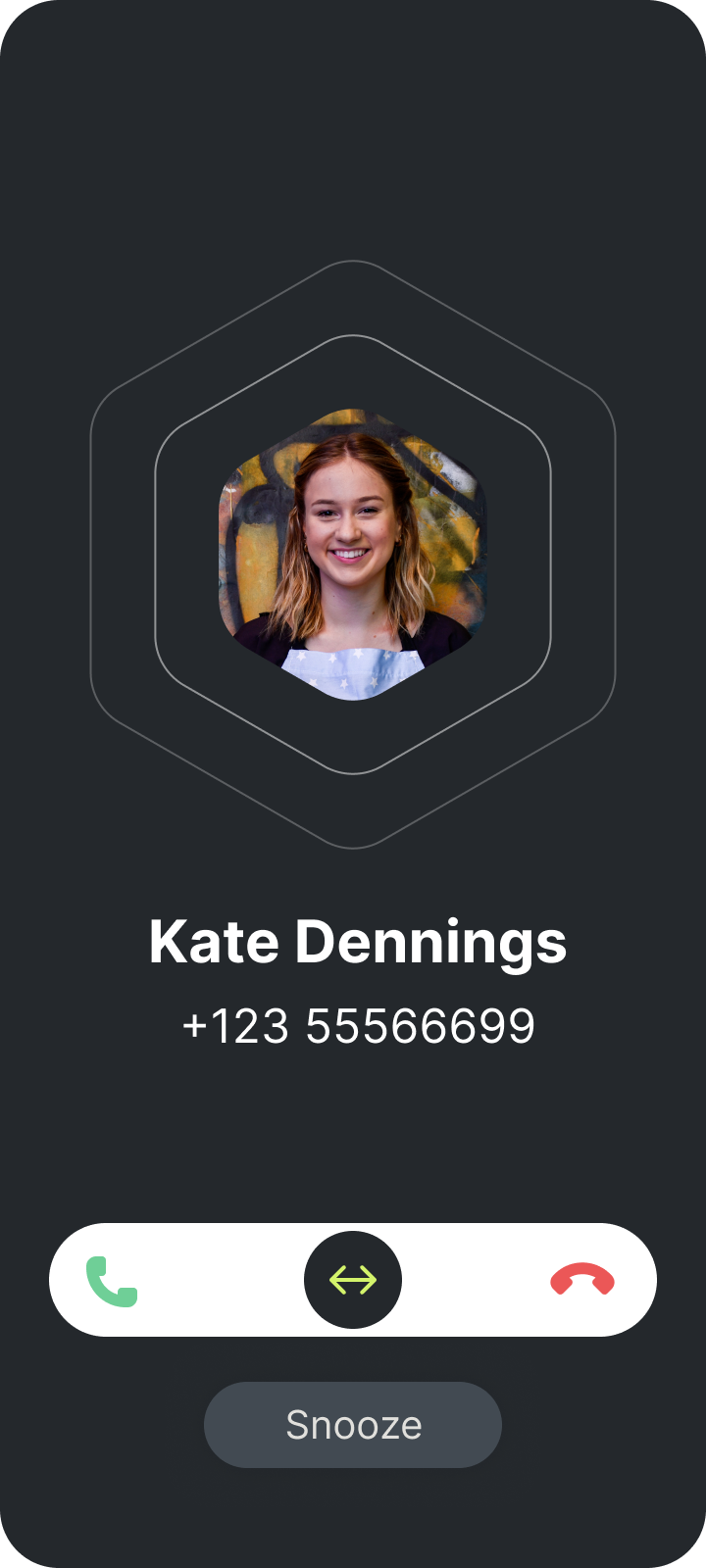
Jakob's Law is the short version. People spend most of their time in other products, so a new one should borrow a shape they already know. The shape for "this person wants you" is an incoming call. Near-black screen, a large hexagonal portrait, two rings pulsing behind it, the name, the number, and a slider. A green handset sits on the left and a red one on the right, with the handle in the middle. You slide toward the one you mean. A short haptic marks the point of no return, so a brush of the thumb does not decide. Snooze is its own pill underneath. Later and no are different words, so they are different controls.
Don Norman's mapping is why the icons sit at the ends of the gesture. You move the handle onto the symbol, and the symbol is the one the dialer has used for years. The screen rings for as long as you set, ten times by default, with sound and vibration you can turn off. If you leave it, or it rings out, that counts as missed, and a quiet note says you missed a connect with that name.
Answering does not dial. That was the correction. A real call would force a live conversation on a low-energy day, and people delete the app that corners them. Psychologists call that push-back reactance. The sheet that comes up asks how you would like to reach out today. Call now, or send a message. The message is already in the bubble: "Hey {name}, been a while — how've you been?" You see it before you commit. Under Call now, WhatsApp and Telegram say the thread opens and you tap the call button there. There is no public way to start those calls in one tap, and the screen does not invent one. The dialer is the only true one-tap call. If the preferred app is missing, it falls back to the phone or to SMS and tells you to update the channel.
The ringing screen stays free of explanation. A ring is a bad place for a paragraph. The reason travels in the notification: the person's name, and "It's been 12 days since you reached out." By the time the call is on screen, you already know why.
One person, and only when you are free
BeReal was the reference for the constraint, and for nothing else about the look. One moment, then the product stops asking. A feed wants another scroll. Socializer's daily limit is one. The control on the home screen, "Swipe to connect now," is for the evening you feel like reaching out outside the schedule. The person it brings is still the one who has gone quietest. The first frame called that same gesture a random call. Random was the mistake. A shuffle lets you trade the friend who needs you for the friend who is easy.
The pick is a ratio. Days since the last reach-out, scaled by how often you have asked to hear about that person. Someone you have never reached out to sits at the front. A tie goes to the longer gap. Decline, snooze, or letting it ring out brings that same person back after the snooze, thirty minutes unless you change it. You can put them off twice. Dismissing them again ends that round, so the evening is not a chase. The next day can still land on them, if they are still the one who has been quiet longest. What the app will not do is offer a different name as a prize for saying no.
The open loop is the Zeigarnik effect. An unfinished obligation stays on the mind. I wanted that loop attached to the person, and I wanted it to end. An endless ring becomes the guilt machine people uninstall in a few weeks.
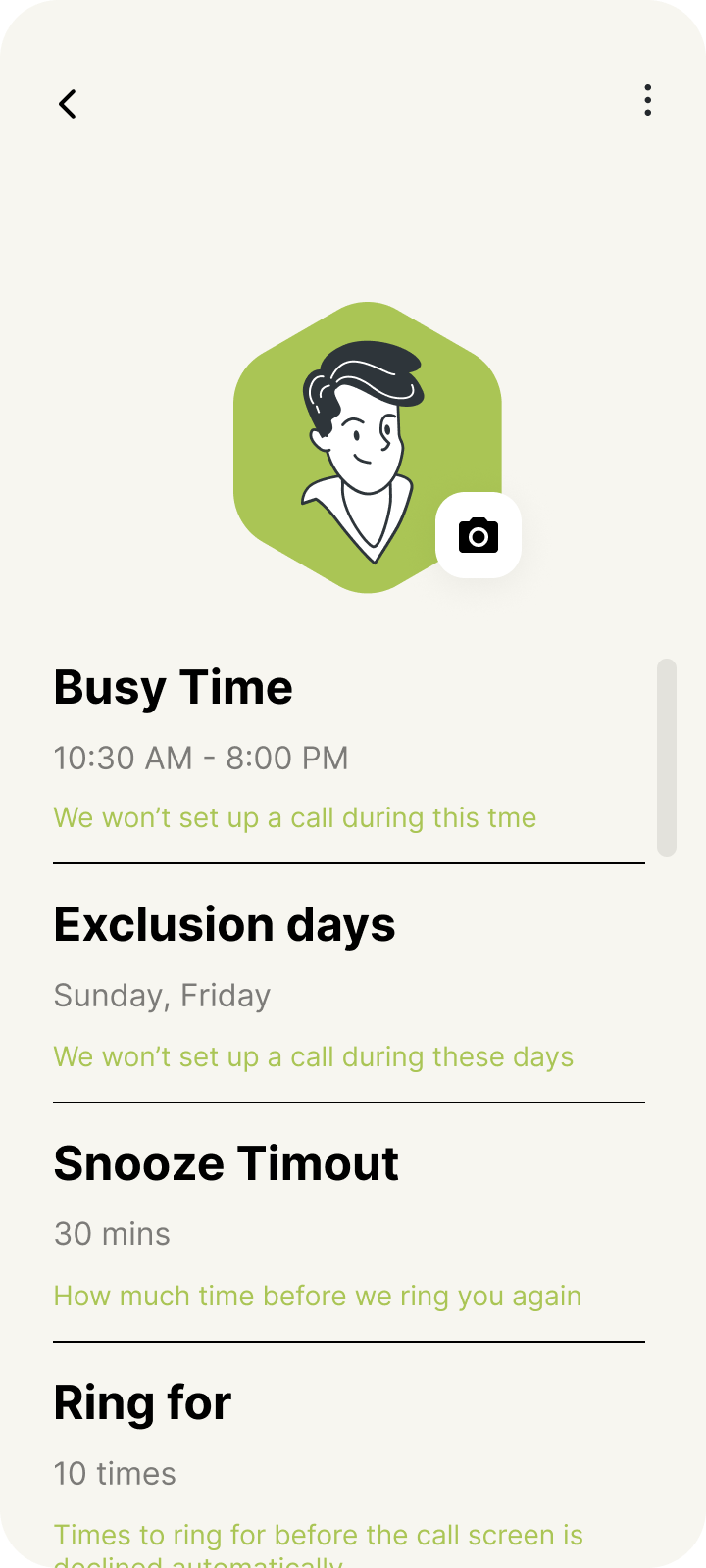
B. J. Fogg's model is the other half of the timing. A behavior happens when motivation, ability, and a prompt arrive together. The prompt is allowed only outside busy hours, outside sleep, and off the days you exclude. The defaults follow the frames. Busy from 10:30 in the morning until 8 at night. Asleep from 11 until 7. Quiet on Friday and Sunday. What remains is a window where a conversation can actually happen. That window is an implementation intention, the if-then plan Peter Gollwitzer described. When I am free, then remind me. A vague plan to stay in touch does not survive a week. A plan tied to a time has a chance.
Ability is the message already written, and a circle small enough to remember. Robin Dunbar's closest layer is about five people, and the next layer about fifteen. Seven is a hint at the inner one. A phone book is a directory. A circle is something you can keep. The base cadence is every seven days, one setting for everyone, called "Remind me every."
What the home screen is allowed to celebrate
This is the first home frame. The card on the right is a connectivity score, 3.7 out of 5, and a badge under the portrait calls you a Networker. Both came off before the screen shipped.
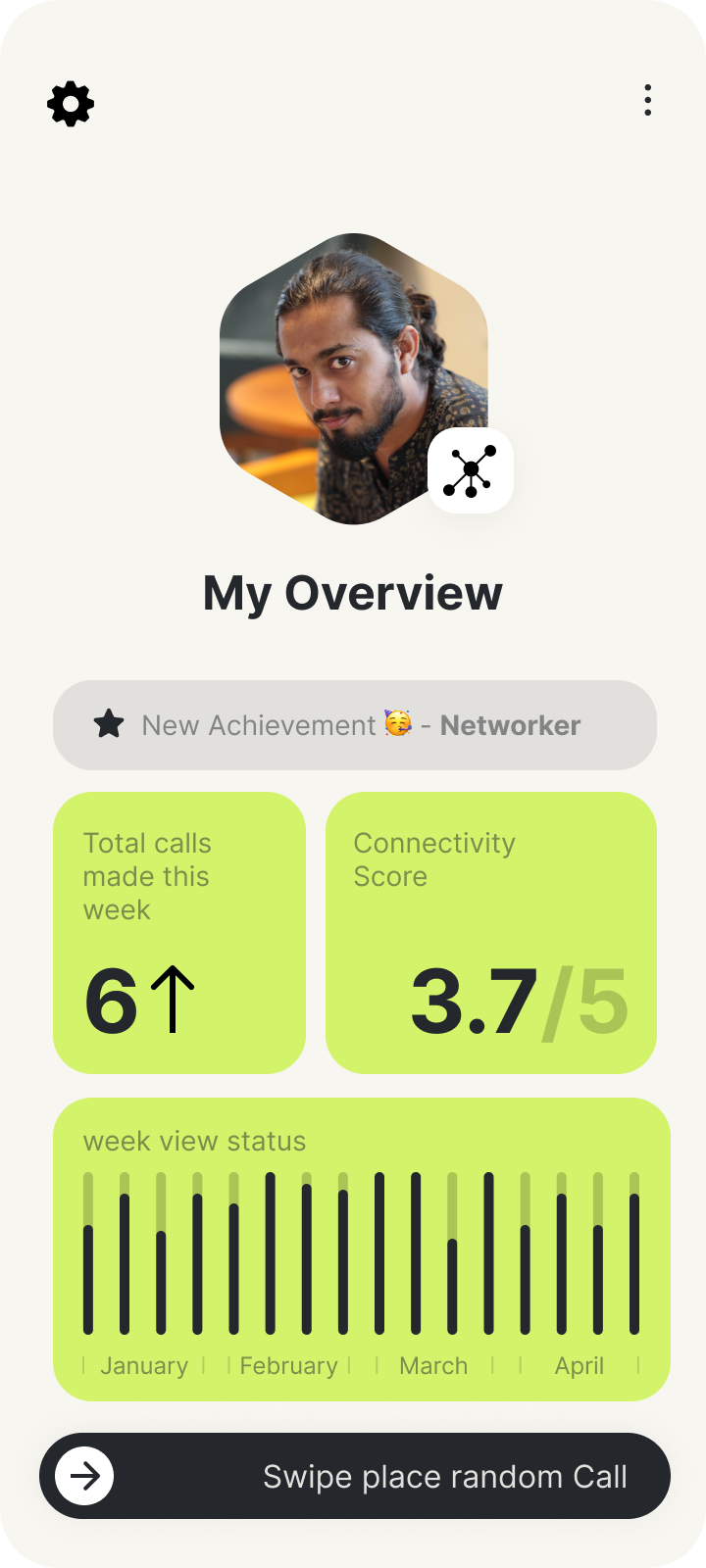
A score is easy to raise and hard to act on. Daniel Kahneman and Amos Tversky's work on losses is the useful piece here. A friendship cooling is felt more sharply than a point going up, and it points at a person. The card that replaced the score is "Drifting friendships." It shows the two faces that have gone quietest, and a tap opens that person. When nobody is cooling, it says you are caught up. The left card stayed a count of the week, arrow and all. The number is how many reach-outs you started, which is the only event the app can truthfully log.
Self-determination theory is why the badge went. Edward Deci and Richard Ryan put relatedness among the needs that actually sustain a person. A prize for tapping replaces that with a game, and an outside prize thins out the reason you opened the app. The chart can still show whether the weeks have been steady, by week or by month. It does not need a unicorn. Under "My Overview" the line is "Keep your friendships warm." A chip above the cards names who is next, and when: tomorrow at 8, or Thursday at 7:30.
Coming back
After the handoff, Socializer is in the background on purpose. The warmth of the conversation is the reward, and it happens somewhere else. That is Nir Eyal's Hook, with one deliberate cut. The internal trigger is the discomfort of drift, carried by the notification. The action is small enough for a tired day. The variable reward is the reply you might get, which the app does not fake with points. The investment is what happens when you come back.
If you return within about half an hour, a dialog asks how it went with that person. Talked, couldn't reach them, or didn't connect. Then, for that person only: Sooner, As usual, or Less often, written as real days. The line under the question says this only changes them, and everyone else stays the same. Underneath, a hidden factor moves by about thirty percent, tighter or looser, and it is clamped so a few taps cannot make the reminder every morning or once a year. You never see the factor. You see days. If you could not reach them, the same name can try again after the snooze. The dialog is one tap, and it never blocks the door.
That return is also how the cadence gets personal without a setup form full of numbers. You teach it in the words you would use out loud.
The week, in order
- Pick a small circle, and a channel for each person. Type a name if you would rather not grant contacts.
- The explainer says the data stays on the phone, and that even we cannot see it. There is no account and no server. Settings can export the lot, import it back, or delete it.
- Set the hours you are busy, the hours you sleep, and the days that stay quiet. Or skip that and use the defaults.
- Inside the free window, one name rings.
- Slide toward the green handset, then call or send the line that is waiting.
- Come back, say how it went, and the next gap for that one person moves.
What I left in the drawer
No calling inside the app. No leaderboard. No session where you work through everyone you saved. No claim that a message was read. Botim stays out until a link can open a person, and not only the app. The hexagon, the lime, and the call chrome stayed, because those were doing their job. The randomness and the score were not.